Here's the scoop on posting multiple pictures in a post!

Moderator
Joined: 01-23-2009
Posts: 26,532
From: Fredericksburg,VA
The BB code link from album view works in posts! It is different than the code in the Gallery view.
You get to the album view via user CP. When you upload pix you can make an album. I think all of the pix in all of your albums appear in the "my stuff" gallery view.
You get to the album view via user CP. When you upload pix you can make an album. I think all of the pix in all of your albums appear in the "my stuff" gallery view.

Moderator
Joined: 05-01-2014
Posts: 8,511
From: California
Add to Favorites
Receive Email Updates (receive email alerts when others comment on your photos)
Title:
Category
Description:
Keywords:
You could use your donbrew1 profile to see how things are different for the rest of us.
Moderator
Joined: 01-23-2009
Posts: 26,532
From: Fredericksburg,VA
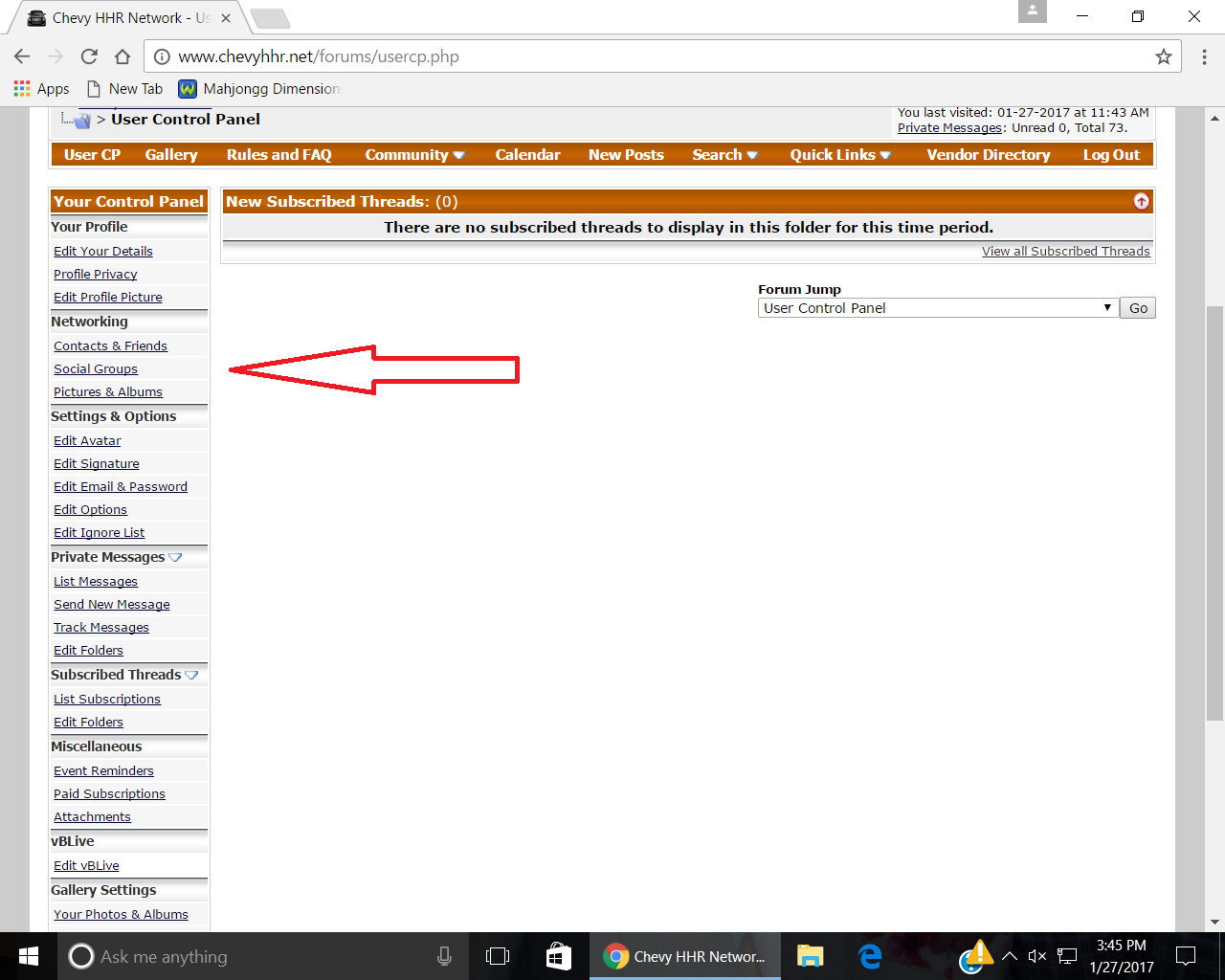
user cp
networking
Pictures & albums
Add Album
Then when you upload you can choose an album, I think.
Or from within the album you can upload.
The BB code is one that works.
Is one way to get there, it is really a mess trying to find some of these things.
networking
Pictures & albums
Add Album
Then when you upload you can choose an album, I think.
Or from within the album you can upload.
The BB code is one that works.
Is one way to get there, it is really a mess trying to find some of these things.
Moderator
Joined: 01-23-2009
Posts: 26,532
From: Fredericksburg,VA
Here is a question for somebody who does more photos than me;
Do you still need to resize photos to put them in the gallery or is that only to put one in a post?
I seem to remember hearing that an upload to the gallery automagically gets resized now.
Do you still need to resize photos to put them in the gallery or is that only to put one in a post?
I seem to remember hearing that an upload to the gallery automagically gets resized now.
Moderator
Joined: 05-01-2014
Posts: 8,511
From: California
Yes, I think the gallery pic resizing is automatic now.