


Gauge Panel 2010 HHR SS


Moderator
Joined: 01-23-2009
Posts: 26,532
From: Fredericksburg,VA
Platinum Member
Joined: 12-06-2009
Posts: 11,721
From: Alabama
OK. I assume you mean the RPD unit. This can be a little tricky the 1st time you try to make any adjustments to the screen. Lord knows, I've played around with mine way too much.
Also not sure why Chevrolet didn't give a good detailed owners manual for this little box of gauges.
Anyhow. I guess you got to this screen :
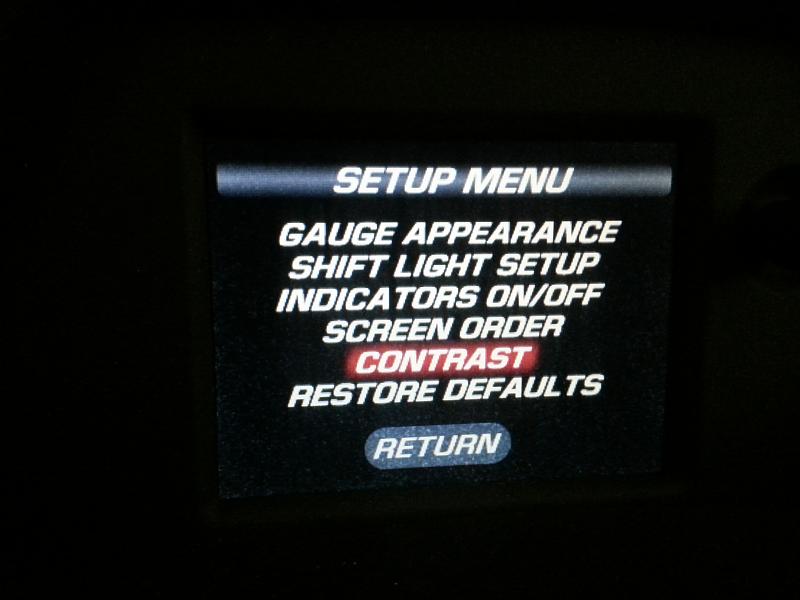
Once you select this, it goes to the "set" screen :
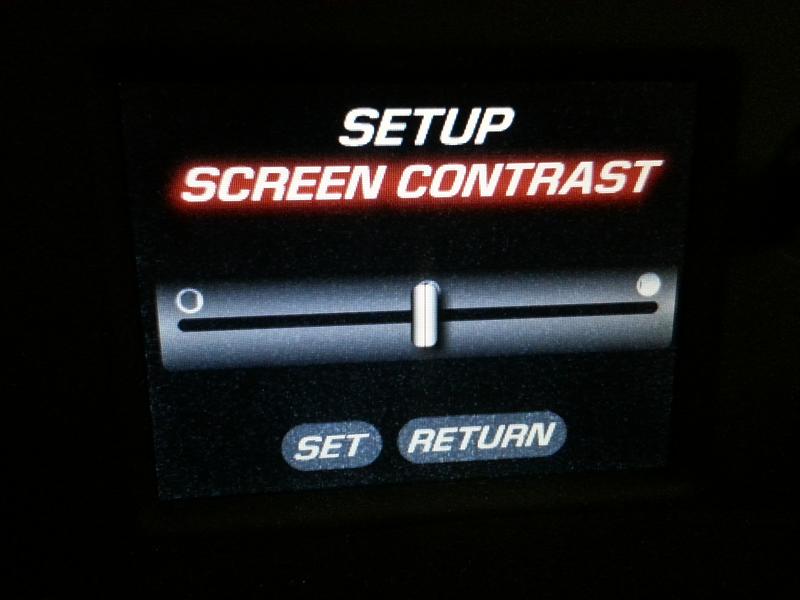
Now the tricky part. Turn the knob until the Set, Return selectors are NOT highlighted in red. Push the knob once, you should be able to adjust the contrast now.
Push the knob again to get it back where you highlight the Set in red. Push the knob again to set your new contrast level.
Also not sure why Chevrolet didn't give a good detailed owners manual for this little box of gauges.
Anyhow. I guess you got to this screen :
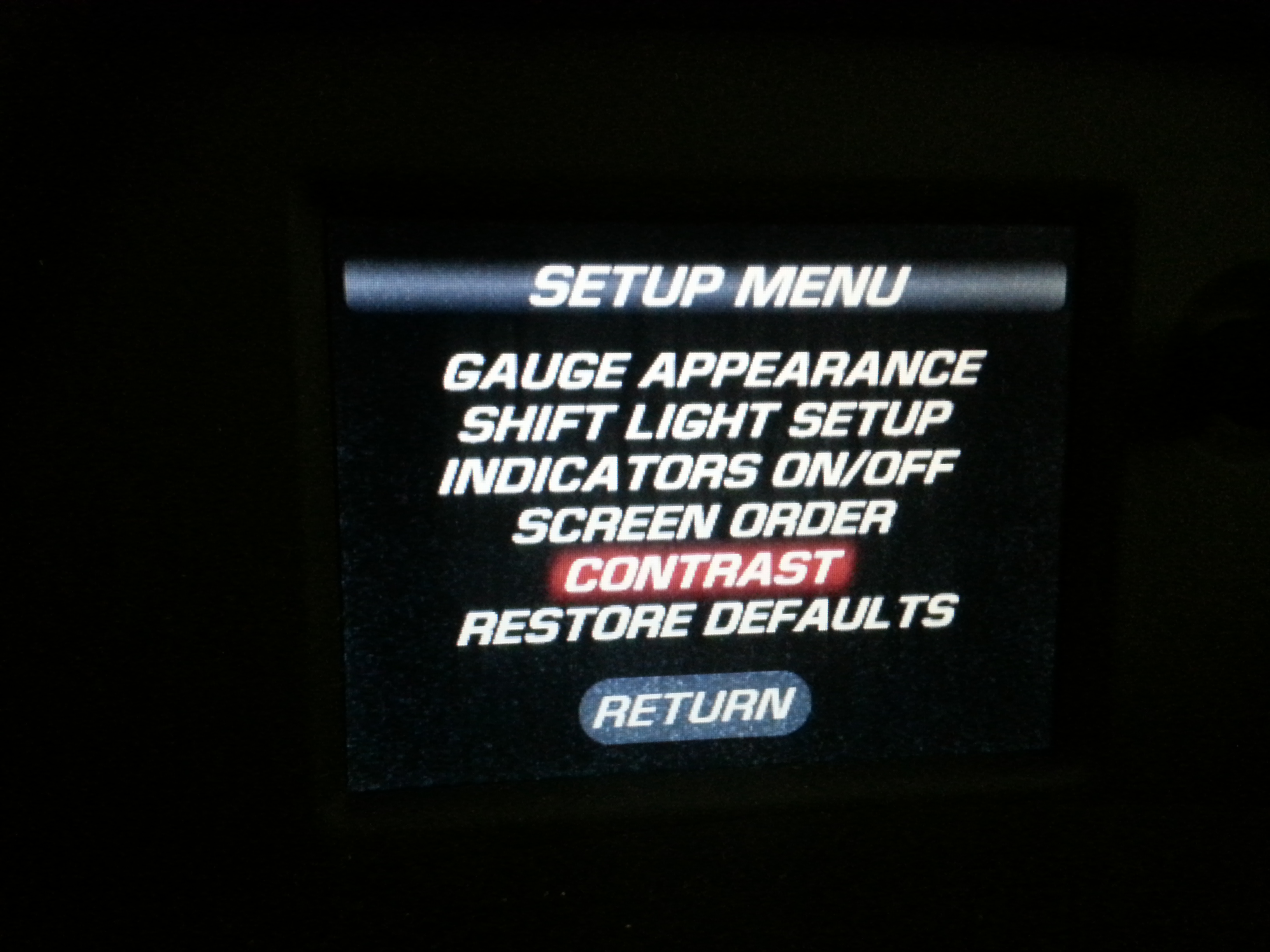
Once you select this, it goes to the "set" screen :
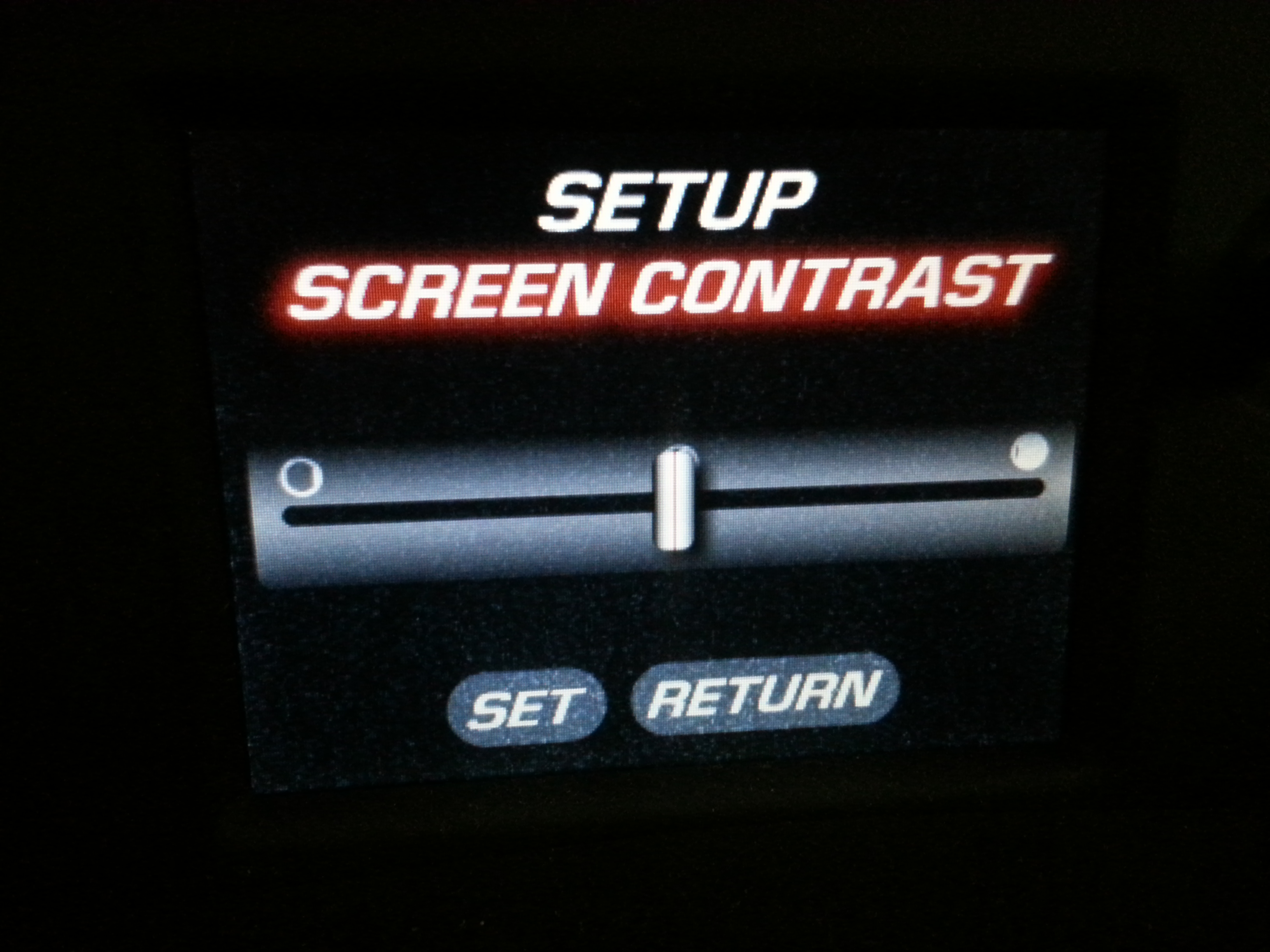
Now the tricky part. Turn the knob until the Set, Return selectors are NOT highlighted in red. Push the knob once, you should be able to adjust the contrast now.
Push the knob again to get it back where you highlight the Set in red. Push the knob again to set your new contrast level.

Thread Starter
New Member
Joined: 07-07-2015
Posts: 29
From: Ashburn, VA
Thanks To All
Want to thank everyone for the info. I will go out and try when I get off of the CPU. Again THANKS.........This is the Best Web Site I have ever been onn.
THANKS,
mblandsr (Mike)
THANKS,
mblandsr (Mike)

Thread
Thread Starter
Forum
Replies
Last Post
Compressed
"How To" Tutorial Library
60
Jul 29, 2019 02:22 PM
evowake
HHR SS
4
Feb 26, 2013 03:28 PM
elvistar
Introductions
5
Sep 2, 2010 08:13 AM