


Is there a way to upload a photo?


Thread Starter
New Member
Joined: 07-13-2013
Posts: 12
From: Sylva, NC
Is there a way to upload a photo?
This forum newbie is bewildered. I have a shot of my HHR but can't find an upload button. How does one place a photo here? Didn't see instructions in the stickies...
EDIT: I figured out how to get it into the galleries, but now I can't figure out how to post it here...
EDIT: I figured out how to get it into the galleries, but now I can't figure out how to post it here...

Platinum Member
Joined: 04-09-2006
Posts: 7,043
From: Vancouver, BC, Canada
When you have uploaded a picture, you can place it in your posts by using the BB code text that is displayed below the image when you view it at full size.
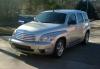
Like this:

that gives a thumbnail view, but there are better ways - am trying to find the tutorial for you. Well I could not find the tutorial I was looking for.
But here is another way around it - copy the BB code text, and put it in your posting, then copy the Direct Link code, and paste it over the ht........thumb.jpg - ie:

Like this:
that gives a thumbnail view, but there are better ways - am trying to find the tutorial for you. Well I could not find the tutorial I was looking for.
But here is another way around it - copy the BB code text, and put it in your posting, then copy the Direct Link code, and paste it over the ht........thumb.jpg - ie:
Last edited by whopper; Aug 2, 2013 at 03:33 PM.
Platinum Member
Joined: 04-09-2006
Posts: 7,043
From: Vancouver, BC, Canada
Finally found the tutorial I was thinking of: https://www.chevyhhr.net/forums/site-development-help-announcements-18/how-upload-add-pictures-your-post-old-3033/
Also mentioned in the thread is a link to a reference re: the size limitation of 640x480 for pictures, and some free software to resize pics:
https://www.chevyhhr.net/forums/site-development-help-announcements-18/picture-size-posts-%7C-free-image-resizing-software-2621/
Also mentioned in the thread is a link to a reference re: the size limitation of 640x480 for pictures, and some free software to resize pics:
https://www.chevyhhr.net/forums/site-development-help-announcements-18/picture-size-posts-%7C-free-image-resizing-software-2621/
 whopper, nicely explained!


Platinum Member
Joined: 12-06-2009
Posts: 11,719
From: Alabama
Fwiw. I just stick my pictures on my desktop. Then when I'm doing my post,
I go to the attachments thingy(the paperclip icon), I download the picture, then attach it to my post. Comes out the correct large size.
Must be some kind of computer magic!
When I try the copy the BB thing, I get those small thumbnail pics,so I'll just stick to the way I described above.
I go to the attachments thingy(the paperclip icon), I download the picture, then attach it to my post. Comes out the correct large size.
Must be some kind of computer magic!
When I try the copy the BB thing, I get those small thumbnail pics,so I'll just stick to the way I described above.
Platinum Member
Joined: 04-09-2006
Posts: 7,043
From: Vancouver, BC, Canada
Ok - the thumbnail code looks like this (leaving off the start and end square brackets and put * instead):
*url=https://www.chevyhhr.net/gallery/showimage.php?i=23796&c=searchresults&searchid=413 1]*img]https://www.chevyhhr.net/gallery/files/7/5/7/HHR3B_thumb.jpg[/img][/url*
then copy the Direct Link code, and paste it over the ht........thumb.jpg - ie:
*url=https://www.chevyhhr.net/gallery/showimage.php?i=23796&c=searchresults&searchid=413 1]*img]https://www.chevyhhr.net/gallery/files/7/5/7/HHR3B.jpg[/img][/url*
Of course I left off the start and end square brackets again.
*url=https://www.chevyhhr.net/gallery/showimage.php?i=23796&c=searchresults&searchid=413 1]*img]https://www.chevyhhr.net/gallery/files/7/5/7/HHR3B_thumb.jpg[/img][/url*
then copy the Direct Link code, and paste it over the ht........thumb.jpg - ie:
*url=https://www.chevyhhr.net/gallery/showimage.php?i=23796&c=searchresults&searchid=413 1]*img]https://www.chevyhhr.net/gallery/files/7/5/7/HHR3B.jpg[/img][/url*
Of course I left off the start and end square brackets again.

