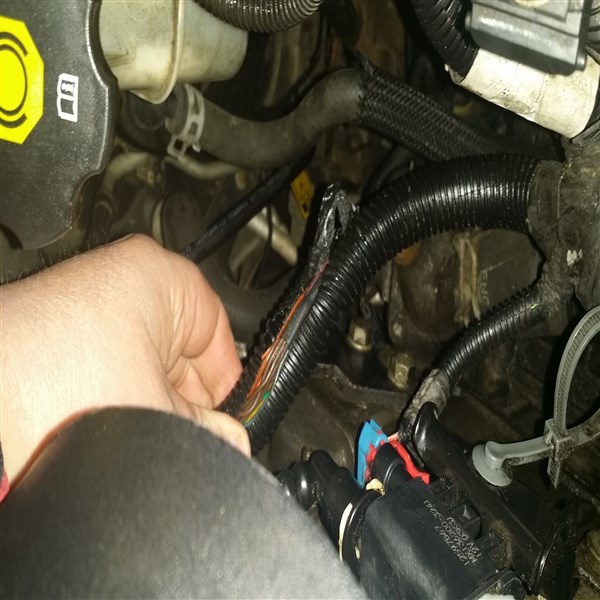
p0016 and check engine light not working Need help in Cleveland


Moderator
Joined: 01-23-2009
Posts: 26,533
From: Fredericksburg,VA
Part 2; inserting the image in a post from a Gallery
1. Go to the Gallery that contains the picture you want to include
2. click on the picture
3. in the "Tag code" window left click and highlight then right click and choose "copy" everything in the window. This places the text on your clipboard.
4. place the cursor where you want the image to appear
5. paste the previously copied code into the message by right click then choose "paste" this will inset the last entry on your clipboard.
6. Click OK
1. Go to the Gallery that contains the picture you want to include
2. click on the picture
3. in the "Tag code" window left click and highlight then right click and choose "copy" everything in the window. This places the text on your clipboard.
4. place the cursor where you want the image to appear
5. paste the previously copied code into the message by right click then choose "paste" this will inset the last entry on your clipboard.
6. Click OK